







PlatformCapabilities
GRC platform capabilities
These are the features GlobalSuite® puts at the service of every module: the control catalogue, the regulatory library, automations, surveys, dashboards, action plans, incident management and working across several companies and languages.
You set them up once and Risk, Security, Compliance, Continuity, Privacy and Audit all use them. That is why a single control, survey or report can serve several teams at the same time.

Internal controls
One control catalogue for every standard.
A control is a specific measure that reduces a risk or meets a requirement: reviewing access rights every quarter, encrypting backups, training staff on phishing. In GlobalSuite® each control is created once, with its owner, frequency and evidence, and linked to every requirement it covers.
If ISO 27001, NIS2 and DORA ask for the same thing, you document it once and it counts for all three. When the audit comes, the evidence is already where it should be.
Used inSecurityCompliancePrivacyAudit
Regulatory compliance
A library with every standard already loaded and broken down into requirements.
ISO standards, EU regulations such as DORA or the AI Act, national laws and frameworks such as COSO or NIST. You tick the ones that apply to your organisation, answer each requirement with its controls and evidence, and always know how compliant you are. When a standard is updated, we let you know inside the platform.
Every requirement has an owner and a status, so you know what is pending and with whom without chasing anyone by email. And when it is time to report, to the board or to an auditor, the report comes straight out of the platform with today's data.
ISO 27001 · ISO 22301 · ISO 42001 · ISO 37301 · DORA · NIS2 · GDPR · EU AI Act · CSRD · PCI DSS · SOX · NIST CSF
See all standards and frameworks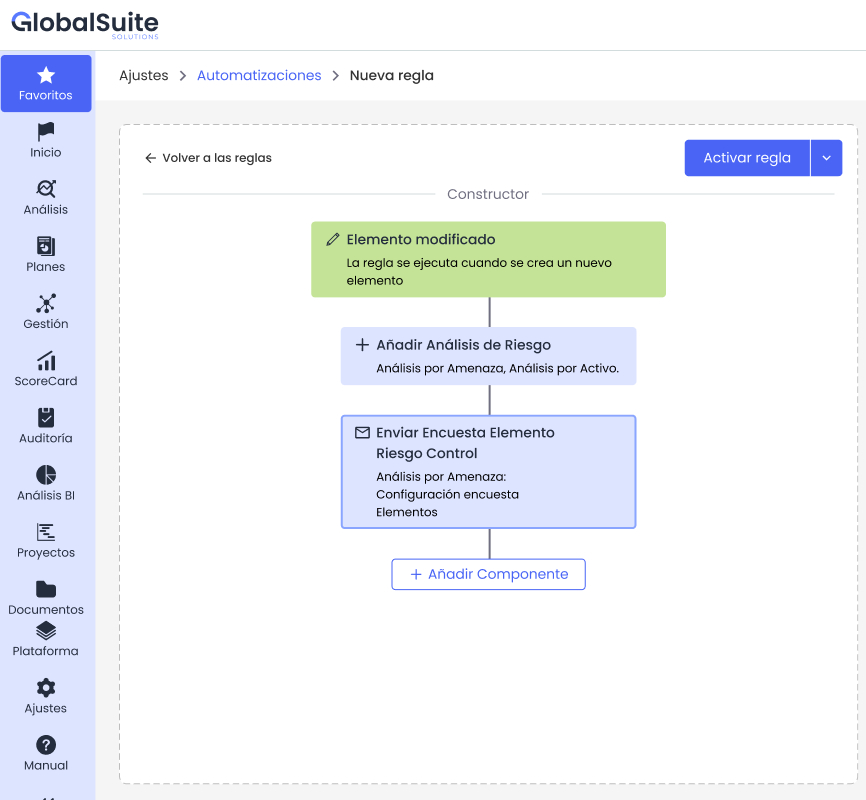
Workflow automation
Rules that take the repetitive work off your team.
An automation is a rule along the lines of "when this happens, do that". You build it in a visual editor, no coding: choose what triggers it, which conditions it must meet and what the platform should do. Every run is logged, with who, when and what the outcome was, so it also works as evidence.
- TriggerA risk, process, supplier or asset is created or changes.
- ConditionsOnly if the risk goes up to high, if the supplier is critical…
- BranchesDifferent paths depending on which condition is met.
- ActionsNotify, send a survey, assign controls or open a plan.
For exampleA supplier becomes critical: its assessment is launched and the third-party team is notified. Nobody has to remember.
Used inRiskContinuityThird-party risk
How automations workAssessments and surveys
Questionnaires that go out, get answered and are consolidated without spreadsheets.
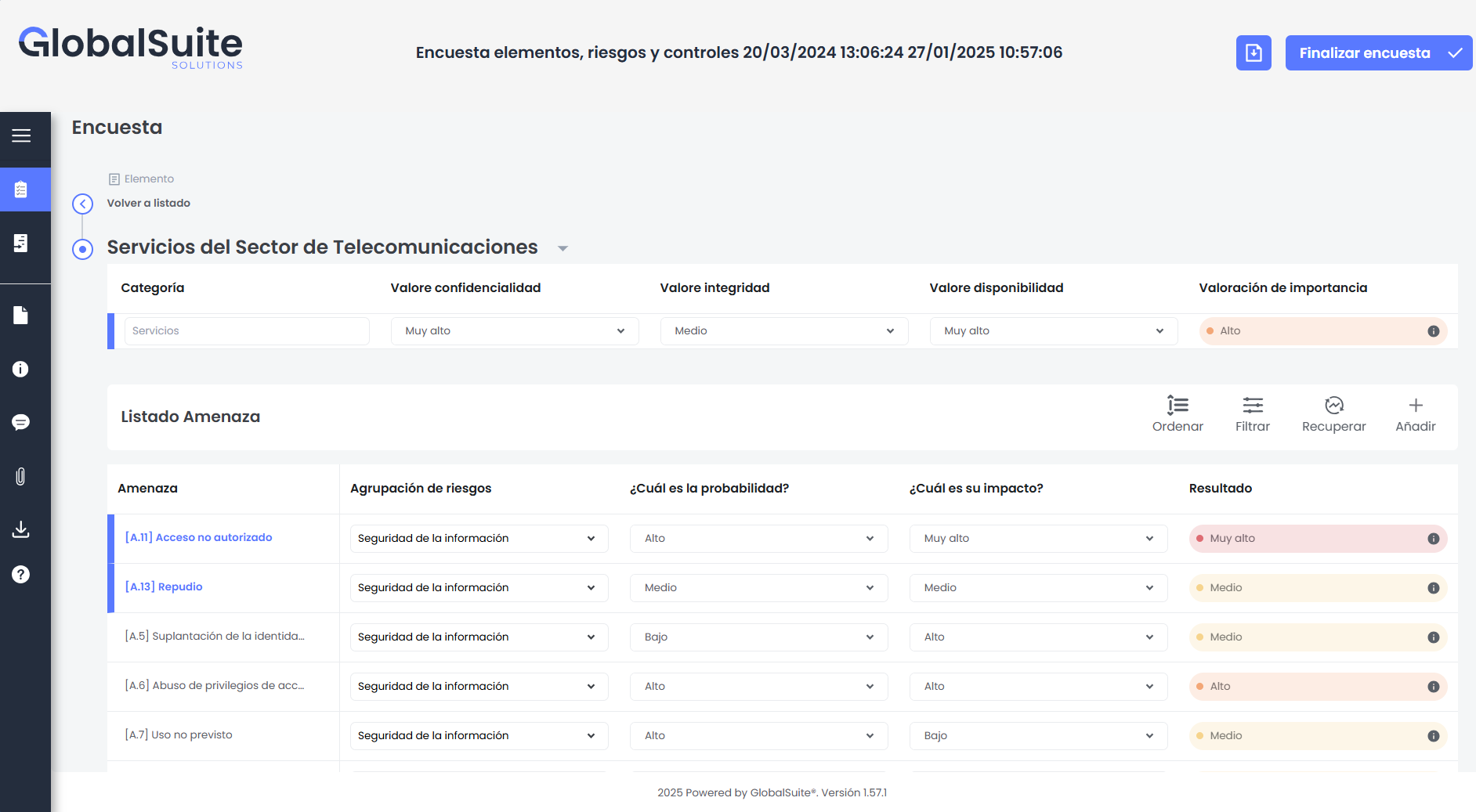
It is how you gather information from across the organisation without chasing anyone by email. Each owner gets only what is theirs (their processes, their assets, their controls) and answers inside the platform, using your methodology's scales. The answers are not copied anywhere: they update the risks, controls or BIA they come from directly.
-
Design and launch
Choose what is assessed (assets, risks, controls, the BIA or a supplier), who answers and by when. Next year you relaunch it with the same setup.
-
Everyone answers their own part
Owners see their assets and threats and rate likelihood and impact from drop-downs. The result is calculated on the spot with your methodology.
-
Track and consolidate
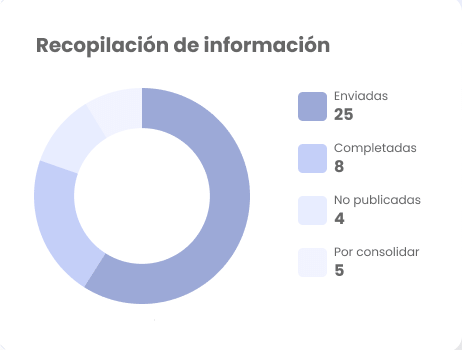
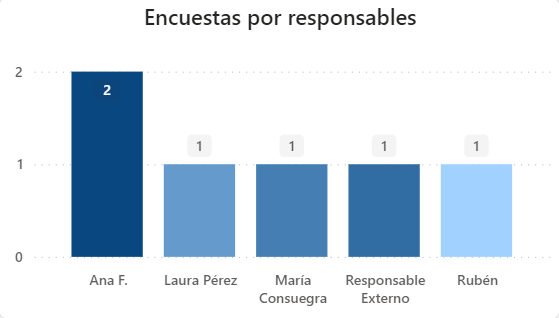
See how many have been sent, completed or are waiting to be consolidated, also by owner. When you consolidate, the ratings go straight into the analysis.
What it is used forBusiness continuity BIA · Risk assessment · Control self-assessment · Supplier due diligence · Compliance · Critical HR
Reports and dashboards
What is happening in your GRC, in plain sight and with today's data.
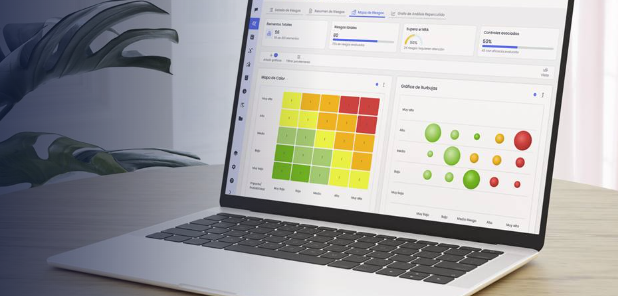
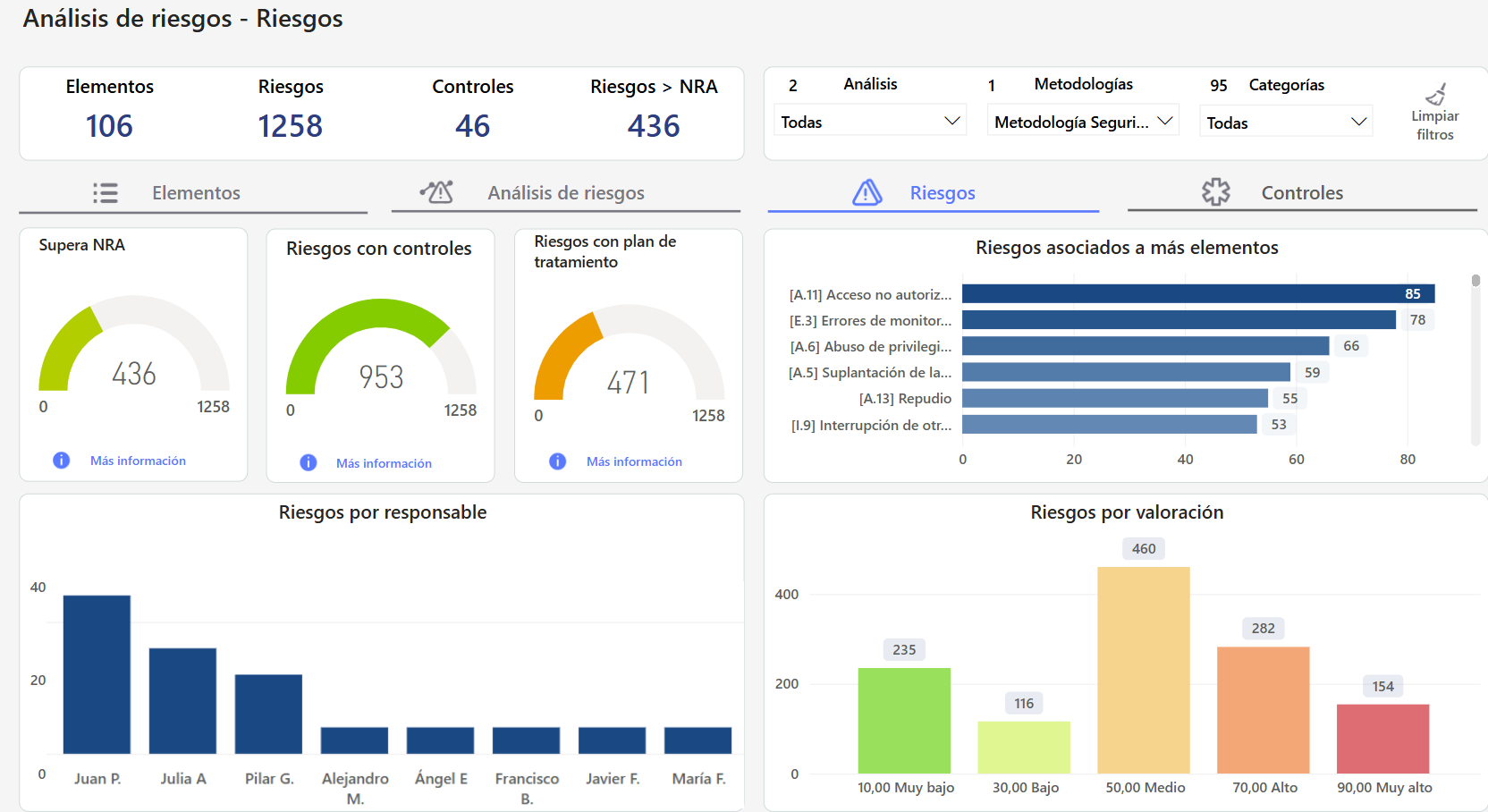
There are two ways to get the information out. Dashboards, built into the platform, are for exploring: filter by analysis, methodology or category and the charts change instantly. Word reports are for handing over: with your template and your format, ready for the board or the auditor.
- Risks above the accepted level. How many exceed the acceptable risk level, how many have controls and how many have a treatment plan.
- Who has what. Risks, surveys and tasks by owner, so you can share out the work with data.
- Dashboards that come ready-made. Risk analysis and assessment, surveys, document management, BIA and compliance.
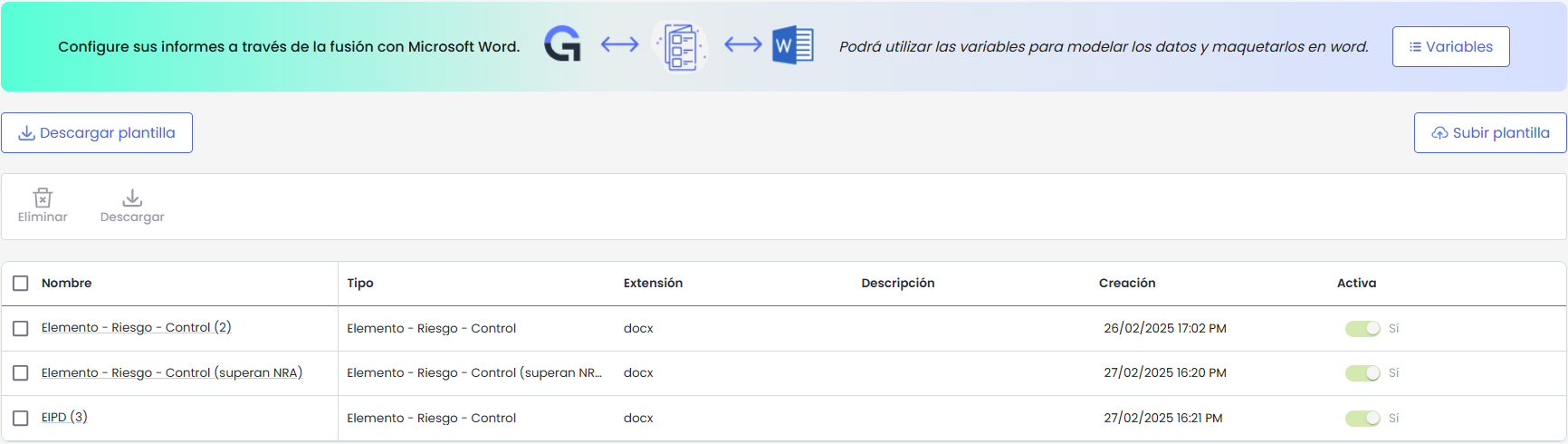
Word reports with your own template
You lay out the report in Microsoft Word as usual and place variables wherever you want the data: the asset, its risks, its controls, the risk level. GlobalSuite® fills it in with current information. Use it for a DPIA, for the report on risks above the accepted level or for whatever the auditor asks for.
And if you need to combine GlobalSuite® data with data from other company tools, dashboards can be built with those additional sources.
The Business Intelligence moduleRisk mitigation
Action plans for the risks that cross the line.
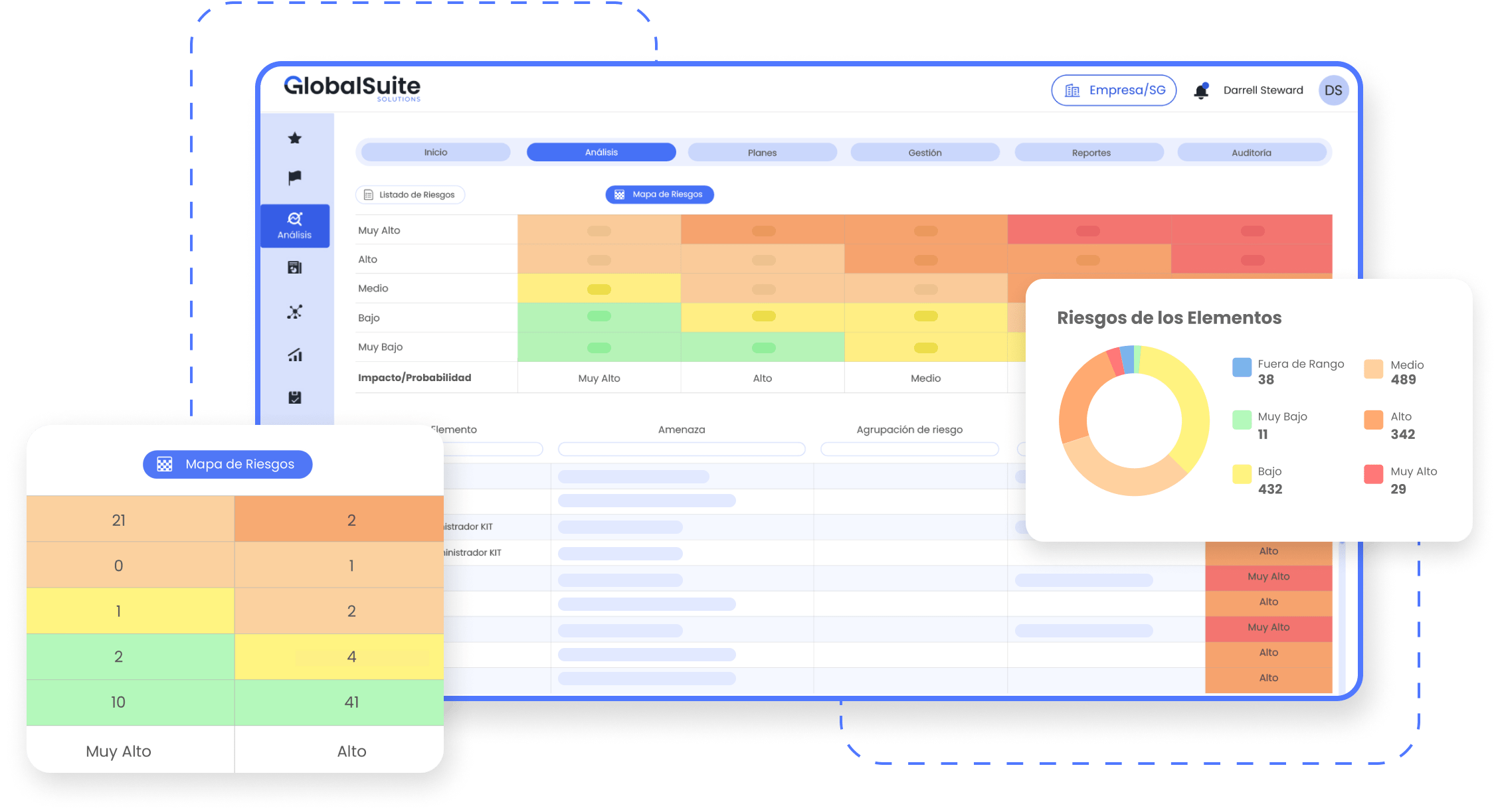
You assess each risk with your own methodology and the platform puts in front of you the ones above the level your company accepts. Those get a plan, and the risk is not closed until the plan is finished and the risk is assessed again.
- Your own assessment criteria. Impact and likelihood scales adapted to your regulations and your priorities.
- Clear priorities. What exceeds your risk appetite comes first, with impact and likelihood in plain sight.
- Plans with an owner. Actions, owner and due date, with progress tracked until closure.
Used inRiskSecurityThird-party risk
Incident management
From the first alert to resolution, with everything connected.
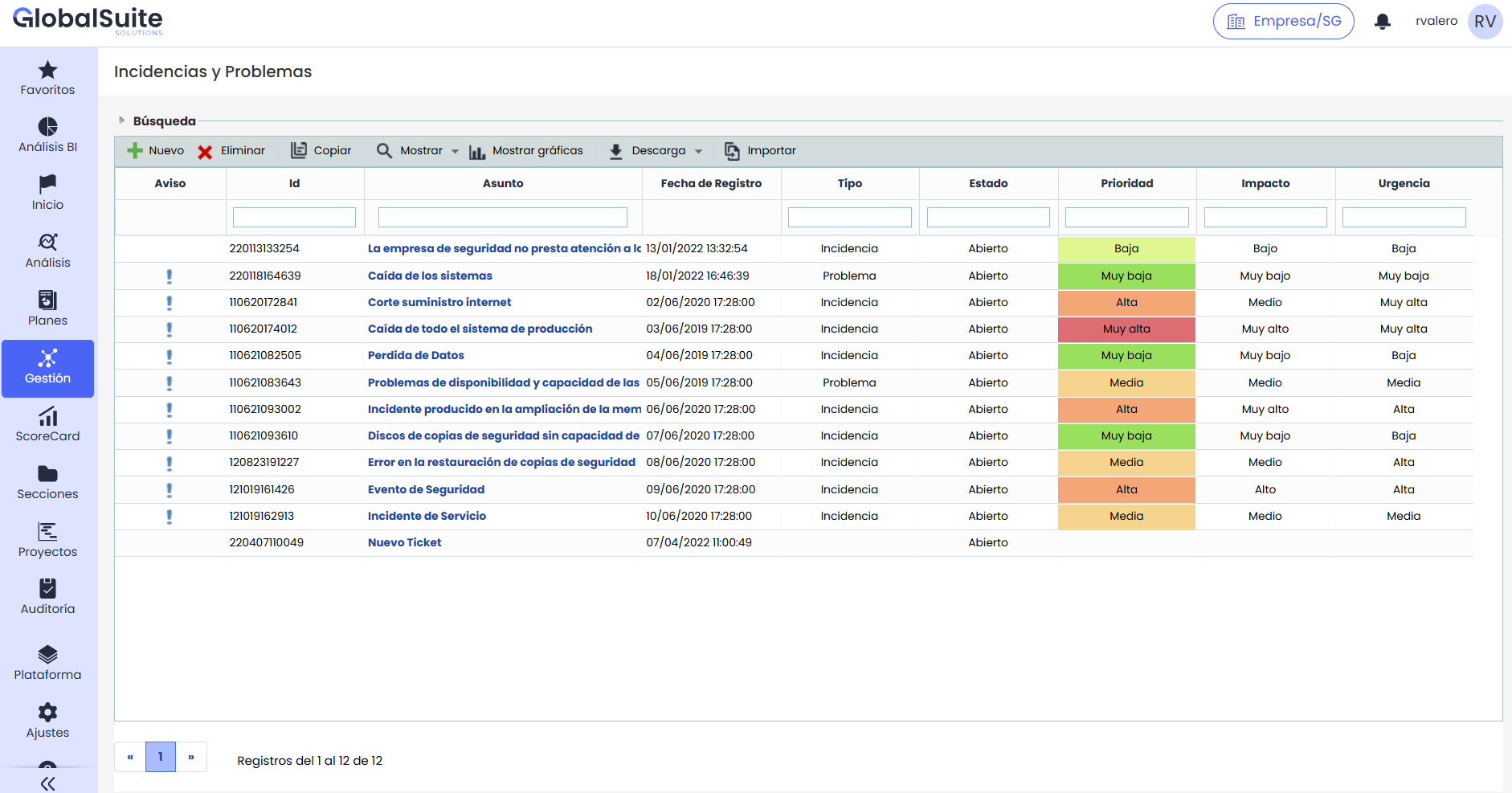
A system outage, a data breach or a supplier failure is logged on the spot, with its type, priority and the areas affected. The incident stays linked to the risks behind it and to the continuity plan that needs to kick in, so nobody has to improvise.
- Structured logging. Type, priority, affected areas and owner from minute one.
- Connected to continuity. The incident triggers the plan and the procedures you already had in place.
- Follow-up and lessons learned. A dashboard with the status of each incident and its resolution time, plus the history to be better prepared next time.
Used inContinuitySecurityRisk
Multi-entity and multi-language
Several companies and several languages in a single installation.
Built for groups with subsidiaries. Each company has its own space, users and local regulations, and works in its own language. At group level you see consolidated information and compare entities without asking every country for spreadsheets.
Shall we look at a case like yours?
We'll show you these capabilities on the processes and standards of your industry.