



What are risk indicators?
Key risk indicators, or KRIs, are used to gauge how exposed an organization is to a particular threat or event that could happen and affect it. Each risk indicator should be defined on the basis of the organization’s risk appetite.
What are risk indicators for?
A KRI should alert the risk manager to a change in the trend of a threat, so that action can be taken to treat or prevent it.
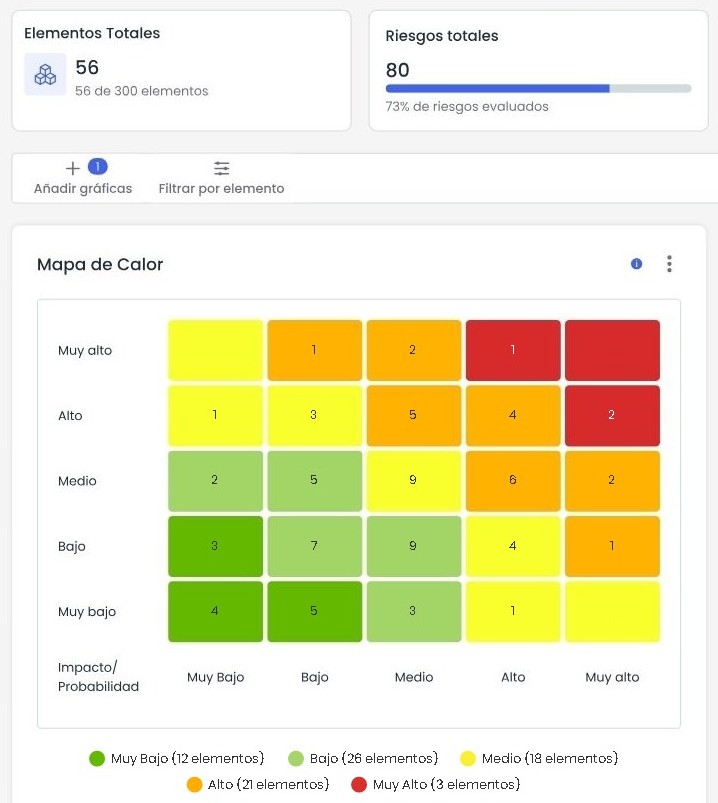
Starting from a complete corporate risk map that is updated regularly, risk indicators should raise an alert when a risk moves outside acceptable limits.
Risk maps usually include dozens of threats affecting every area of the company. Within the map, the organization’s most important risks need to be identified, and each of them should have its own risk indicator.
You could have a KRI for every threat in the corporate risk map, but since there are usually many of them, you would risk losing focus on the ones that matter most and diluting what KRIs are for.
How can risk indicators be defined?
A KRI can be defined in several ways, depending on which aspect of the threat matters most. Most risk analysis methods are based on assessing the likelihood of the threat occurring and the impact it would have on the organization if it did. KRIs can therefore be defined around either aspect:
- Linked to likelihood, to track changes in the estimated likelihood, because the organization probably wants to avoid the event at all costs, for example legal breaches.
- Linked to impact, to track changes in the impact of the threat. This is used when the organization cannot afford to have its business processes degraded, for example by natural disasters.
- Another option is to tie the KRI directly to the risk value of the threat. This is used when avoiding the threat and avoiding its impact matter equally, for example cyberattacks on IT systems.
- Finally, the KRI can be linked to the effectiveness of the measures, safeguards or controls the organization has put in place to stop threats from materializing or to counter their effects once they do. A change in how effective these measures are could leave the organization exposed.
Every KRI should include at least one alert threshold in its definition. If it is crossed, above or below as applicable, or simply reached, the risk manager knows the situation needs to be analysed, and that analysis may lead to action on the controls linked to the threat.
A KRI can have more than one threshold when you want to track an intermediate zone set by the risk appetite, between being exposed to the risk and over-controlling it, which wastes resources.
For a set of KRIs to work, deciding what to measure and which thresholds to use is not enough. Each indicator also needs, at the very least, an owner, a measurement frequency and a clear data source.
The risk manager’s job is to make sure all the data is available for each measurement period, and to analyse the values whenever the thresholds are crossed.
An example KRI dashboard
This is what a simple KRI dashboard can look like. Each indicator shows last month's value, the trend over the past six months and its status. The thresholds follow the logic of risk appetite: amber warns that the indicator is getting close to the appetite, and red that it has reached the tolerance.
Thresholds: Green ≥ 99.5% · Red < 99.0%
Thresholds: Green ≤ 3 · Red > 8
Thresholds: Green ≤ 5% · Red > 10%
Thresholds: Green ≤ 8% · Red > 12%
Thresholds: Green ≤ 15 · Red > 30
Look at the trend as well. The vulnerabilities indicator is still amber, but over six months it has gone from 2 to 7: if nobody acts, next month it could be red. The trend warns you before the threshold does. You will find more examples by type of risk in the four KRI types for your risk map.
Risk indicators in GlobalSuite®
At GlobalSuite Solutions we support organizations in building a corporate risk map from scratch. As part of the project, we identify the organization’s most important risks and propose the risk indicators to monitor them.
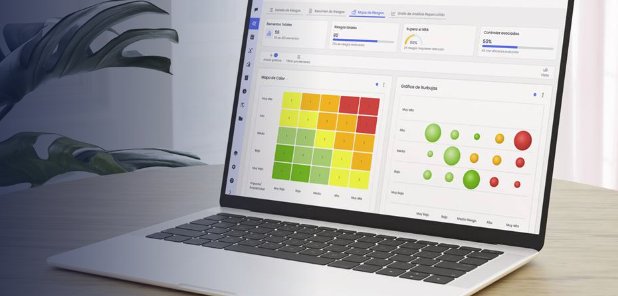
In the GlobalSuite® Risk Management module, KRIs come with alert thresholds that warn you before a risk escalates, and risks above your acceptable level show up in red on the heat map, without having to look for them. If you would like to see it with your own indicators, request a demo.