




GlobalSuite® Quantum v7.12 is now available. This release brings artificial intelligence into everyday GRC work and completely redesigns Risk Analysis and Risk Assessment.
What is new: the GlobalSuite® MCP, which connects the platform to Claude, ChatGPT, Gemini, Microsoft Copilot, and Cursor; the AI Agent for risk; and a new design for Risk Analysis and Risk Assessment, with a more modern, clearer interface and far fewer clicks.
Introducing the GlobalSuite® MCP
The GlobalSuite® MCP connects GlobalSuite® to the AI assistants your organization already uses: Claude, ChatGPT, Gemini, Microsoft Copilot, and Cursor. Your GRC platform, right from your AI.
Questions such as which critical risks have no controls, which requirements of a regulation have the lowest compliance, or which inventory assets have not been assessed no longer mean clicking through several screens and exporting data. You ask in plain language and the assistant answers with the real data in your GRC platform, as text, tables, charts, or reports. It also takes action: it creates and updates assets, risks, controls, and treatment plans when you ask it to.
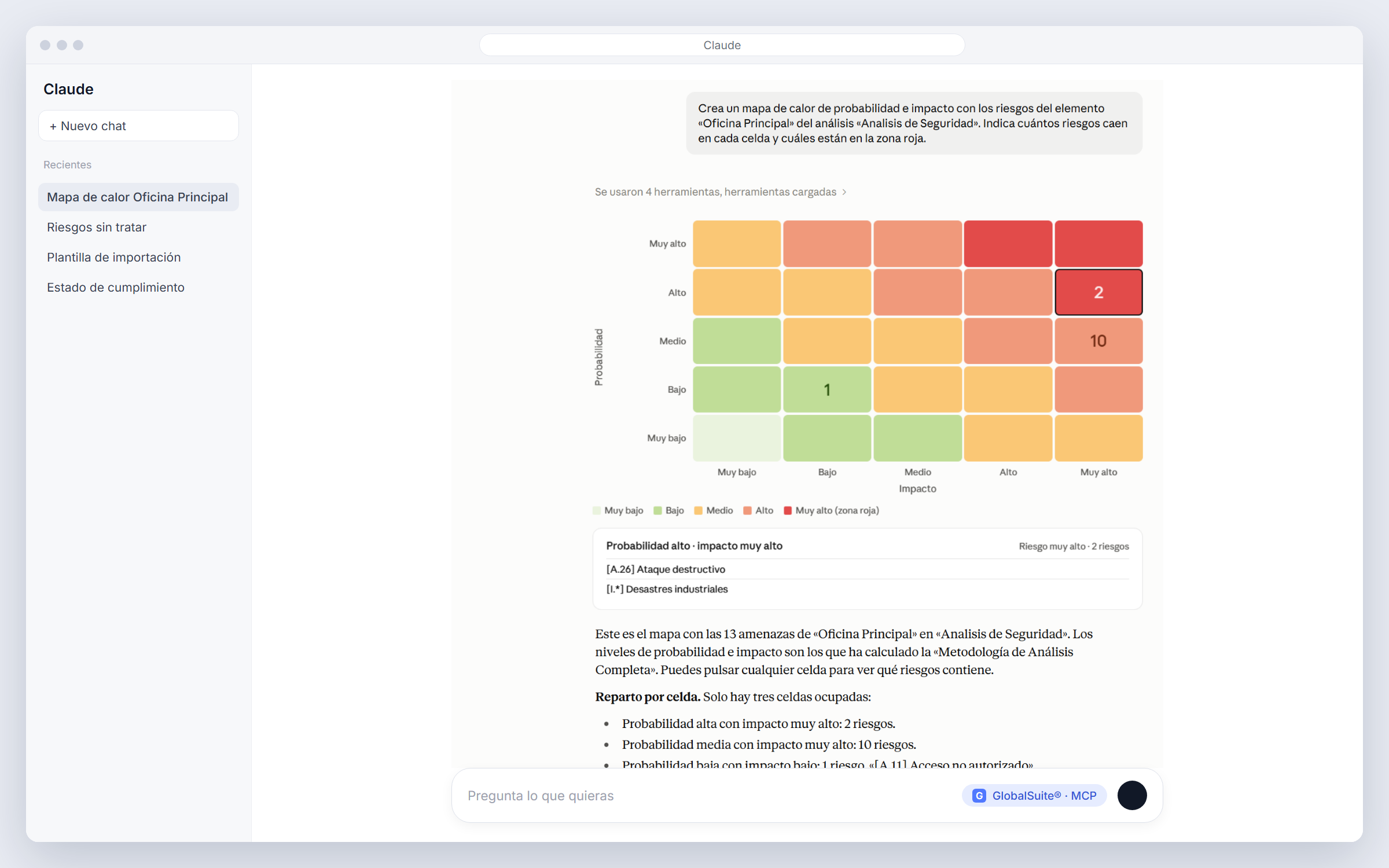
Here it is in action: the GlobalSuite® MCP connected inside ChatGPT and Claude, answering with platform data.
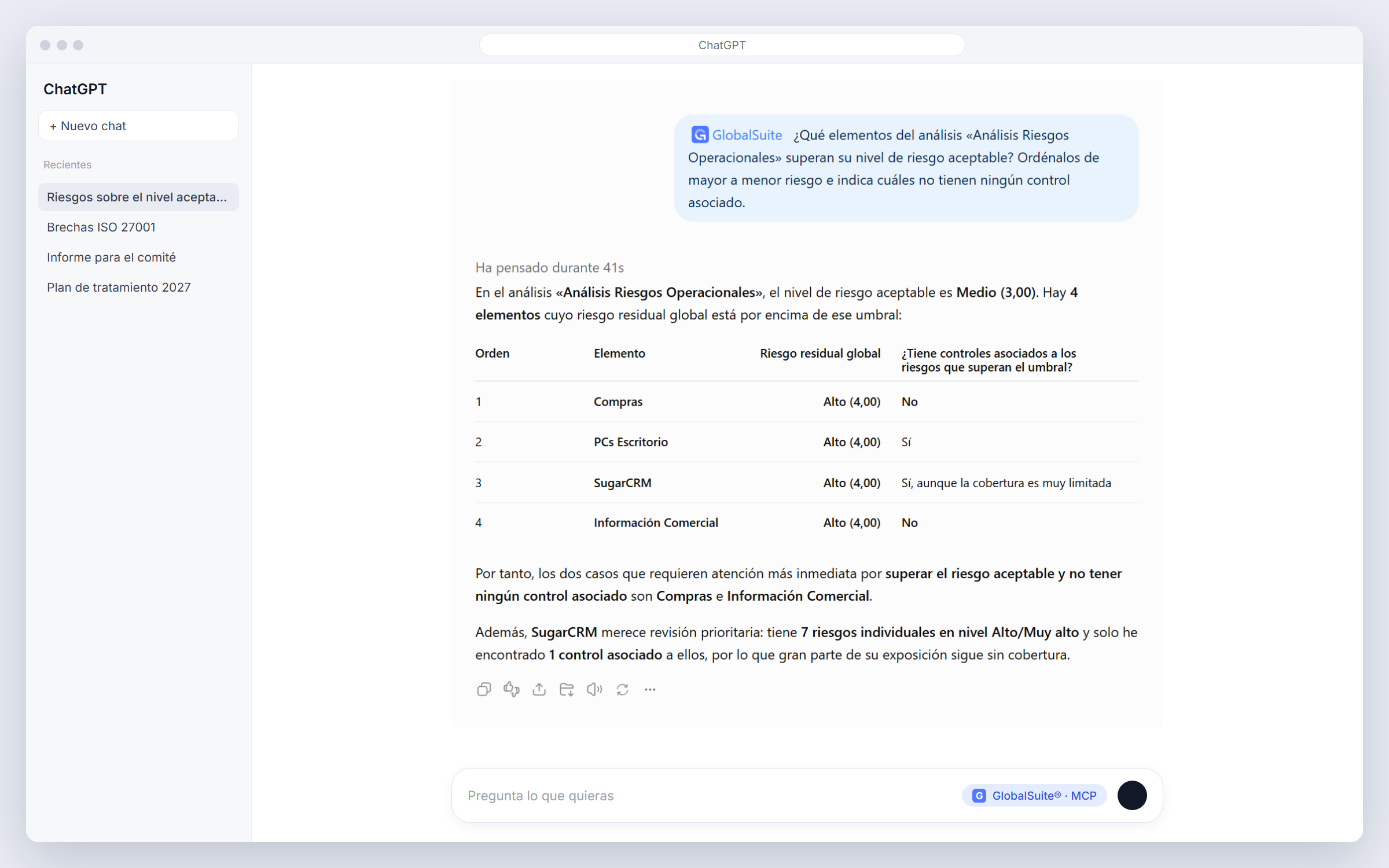
1. ChatGPT: which assets exceed the acceptable risk level and which have no controls.
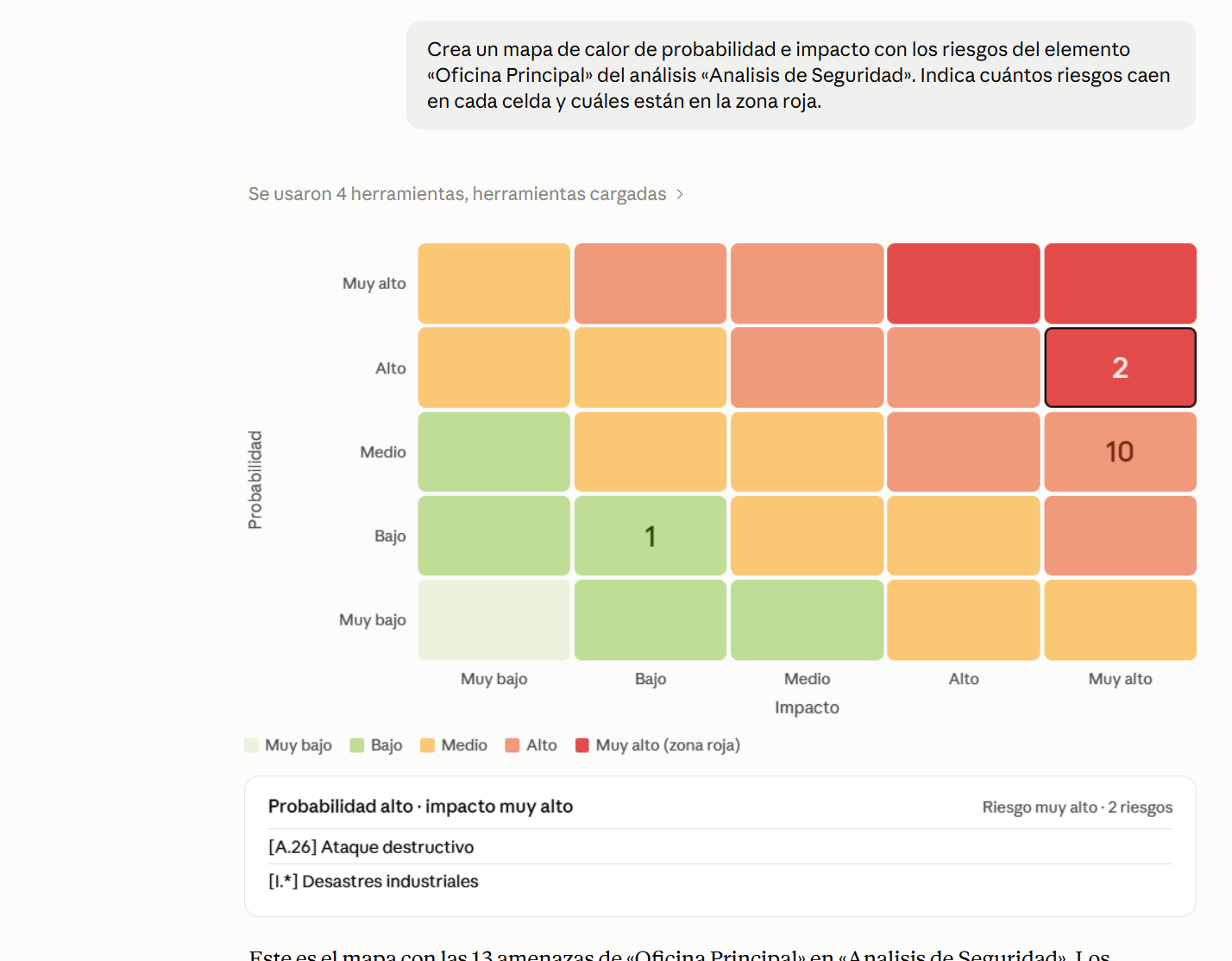
2. Claude: probability and impact heat map for the risks of one asset.
Use cases
This is how you work from Claude with the GlobalSuite® MCP connected: what you ask and what it answers, using data from a demo environment.
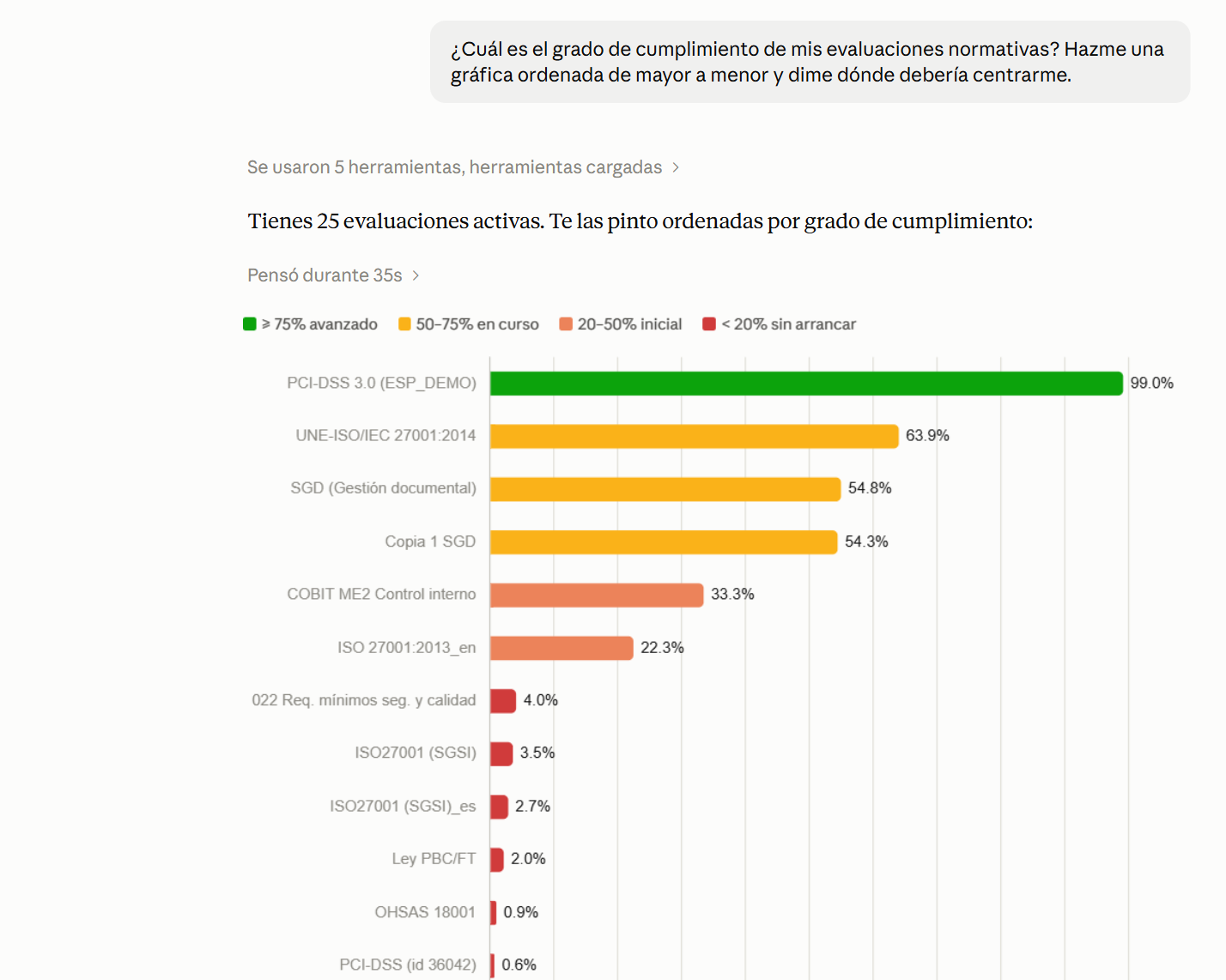
Regulatory compliance status
“What is the compliance level of my regulatory assessments? Give me a chart sorted from highest to lowest and tell me where I should focus.”
Risk heat map
“Create a probability and impact heat map with the risks of the asset ‘Oficina Principal’. Show how many risks fall in each cell and which ones are in the red zone.”
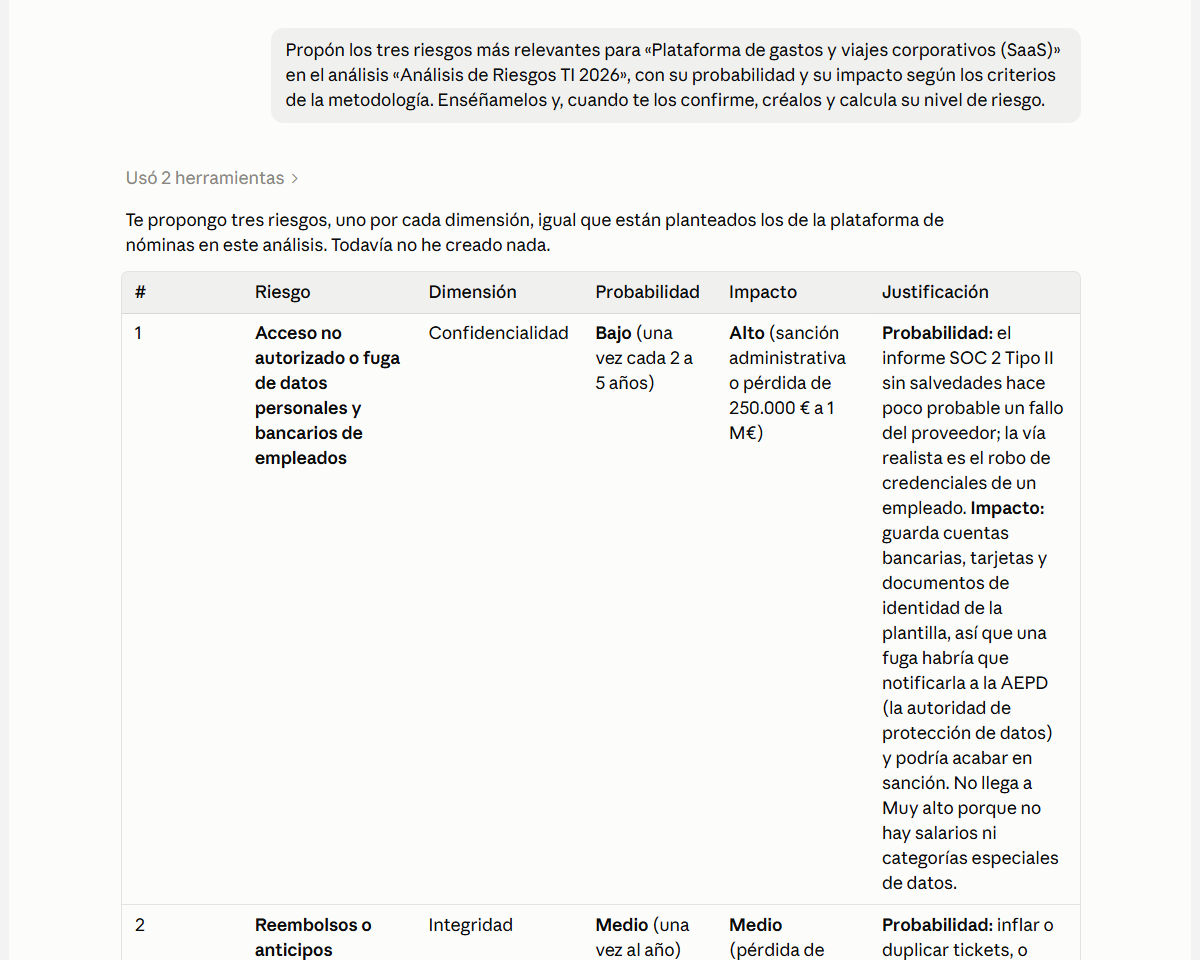
Propose assessed risks
“Propose the three most relevant risks for the travel and expenses platform, with their probability and impact according to my methodology. Once I confirm them, create them.”
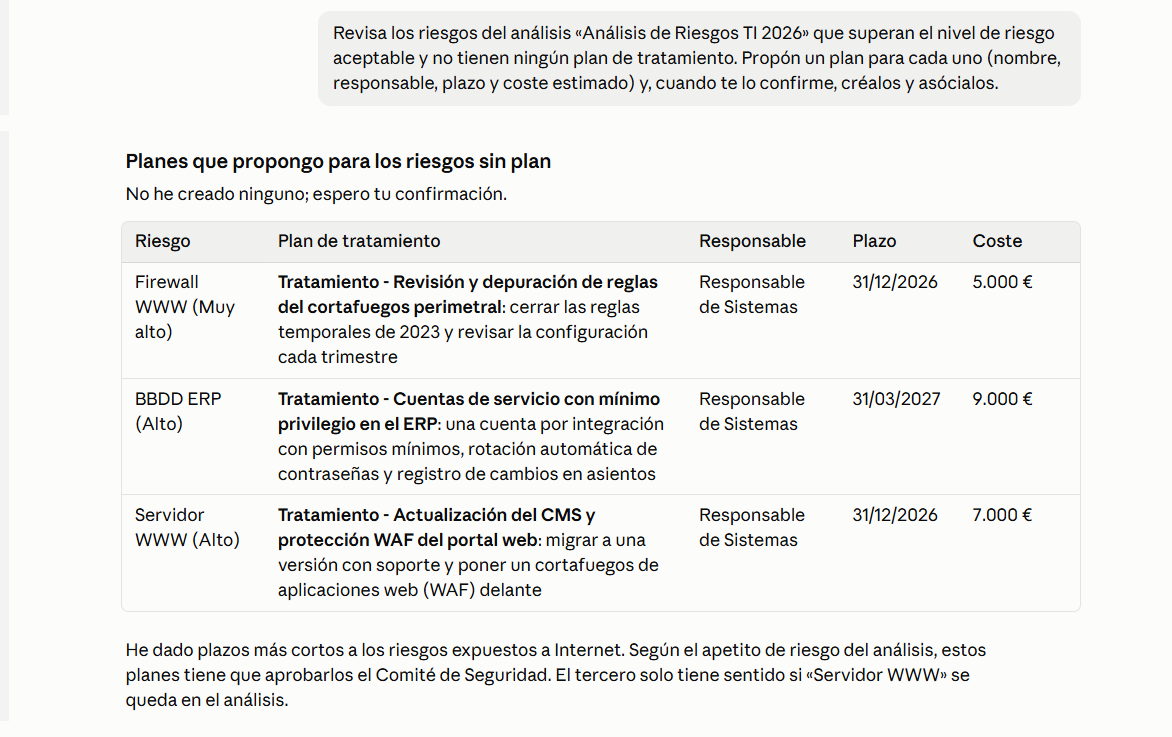
Plans for untreated risks
“Review the risks above the acceptable level that have no treatment plan. Propose a plan for each one with an owner, a deadline, and a cost and, once I confirm, create them.”
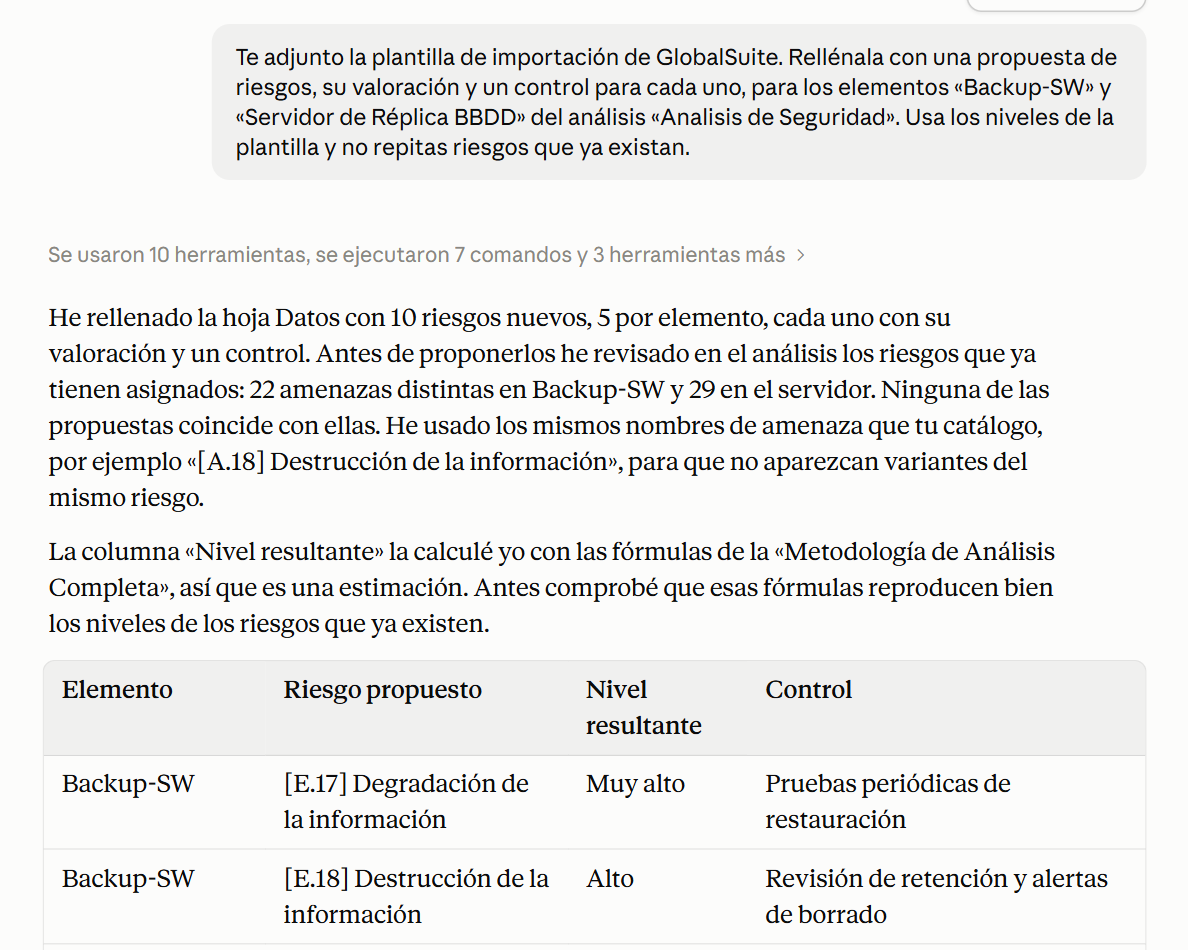
Fill in the import template
“Attached is the GlobalSuite® import template. Fill it in with a proposed set of risks, their assessment, and one control for each, without repeating the ones that already exist.”
Executive report for management
“Write a two-page executive report in Word on our ISO 27001 compliance status for the management committee, with conclusions and next steps.”
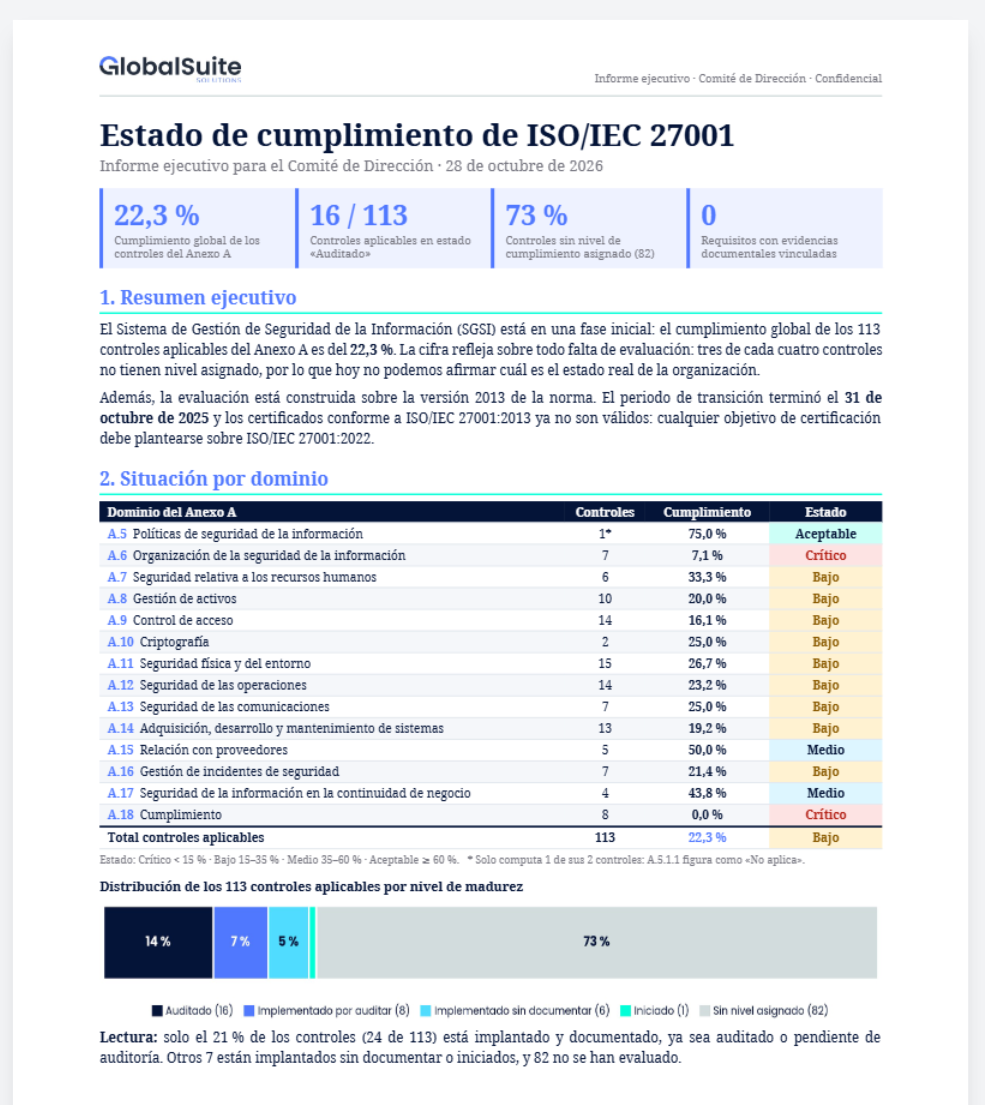
Your user, your permissions
The assistant signs in with your GlobalSuite® user: it sees exactly what you see in the platform, it only changes what you ask it to, and every call is logged.
AI Agent in Risk Analysis and Assessment
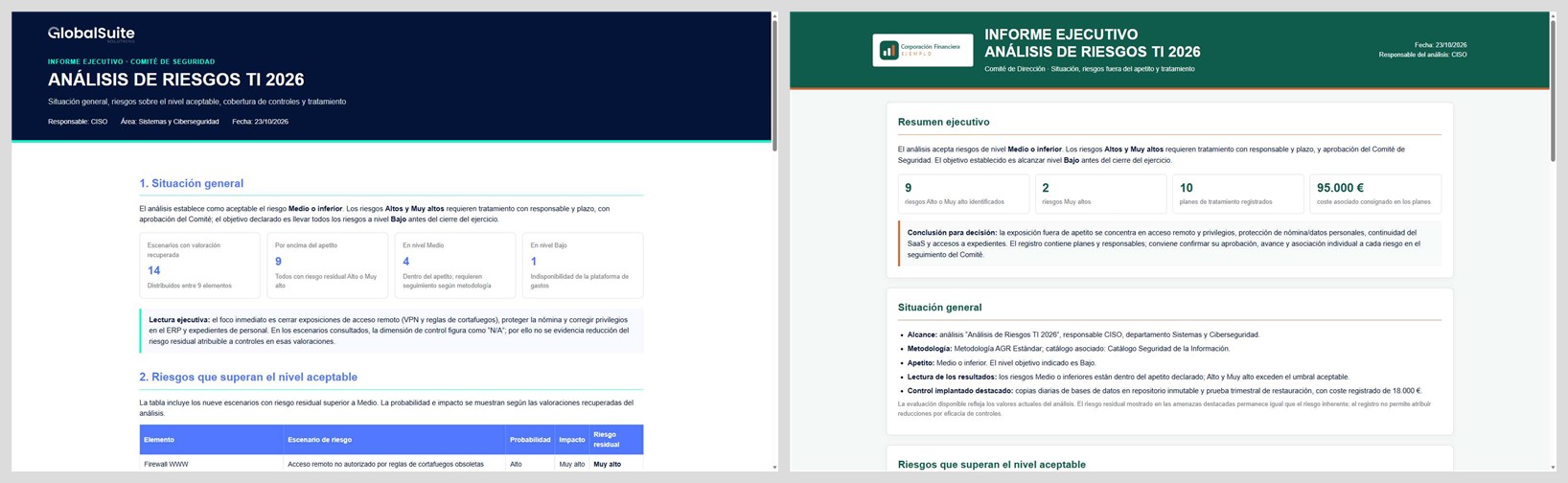
The AI Agent works inside GlobalSuite®, on the risk analysis you have open. It tells you which risks are most critical, which exceed the acceptable level, and which actions to prioritize, and it prepares committee reports in Word, PowerPoint, Excel, or HTML with your organization’s branding.
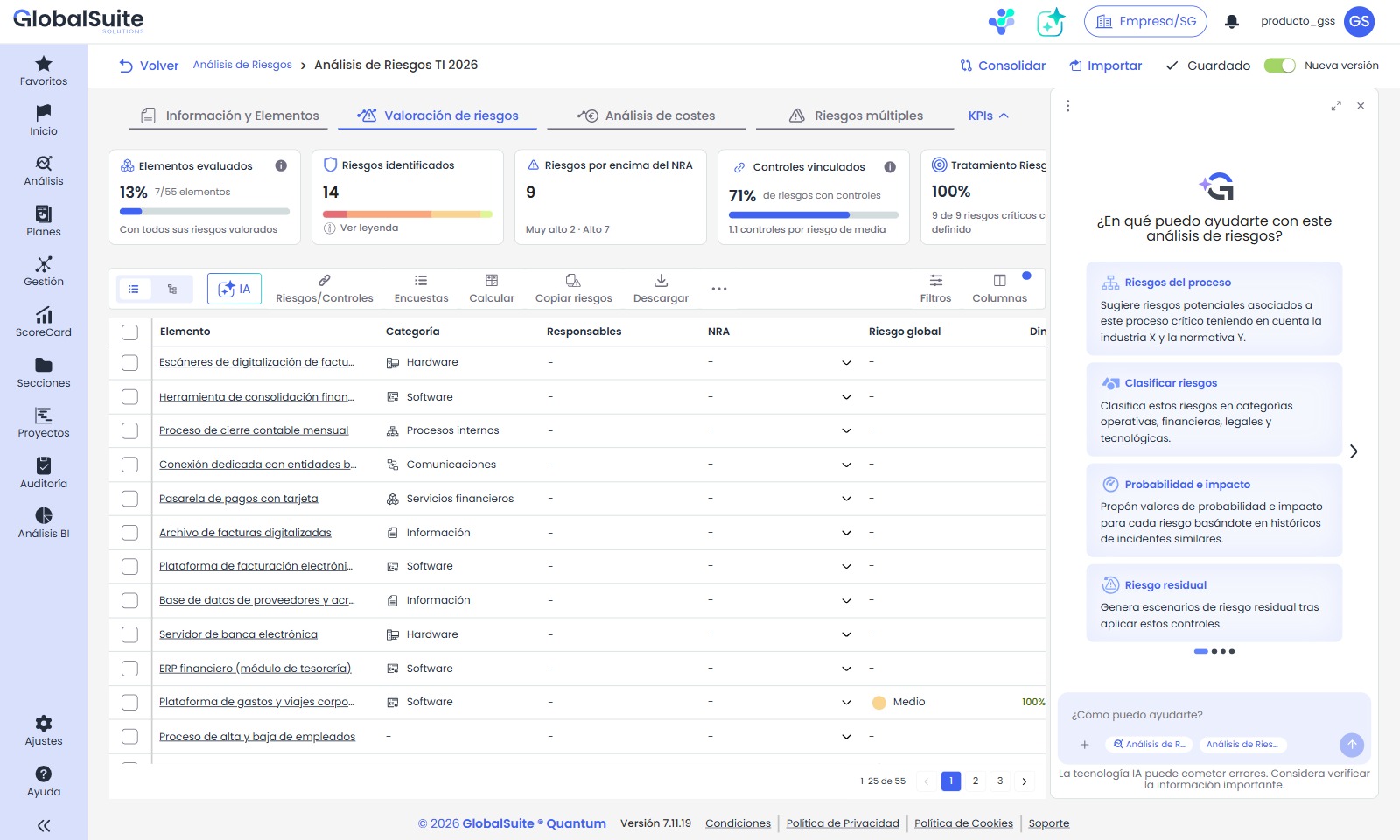
1. The AI Agent opens next to the analysis, with suggested prompts to get started.
2. Executive report on the analysis with the organization’s branding.
Proposed changes to the analysis, such as new risks, controls, or treatment plans, are only applied once the user approves them.
New design for Risk Analysis and Assessment
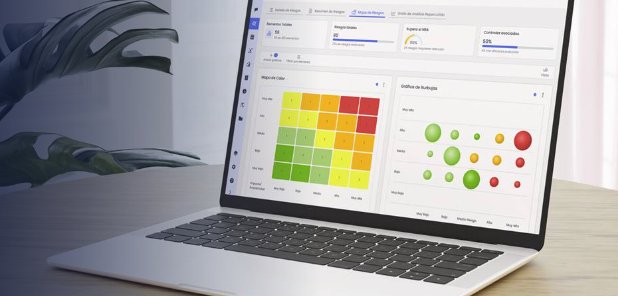
We have completely redesigned the most used part of GlobalSuite®. Risk Analysis and Risk Assessment get an interface that is more modern, clearer, and much faster to work with, built on our customers’ ideas and feedback. Same data, same methodology, same results: what changes is the experience.
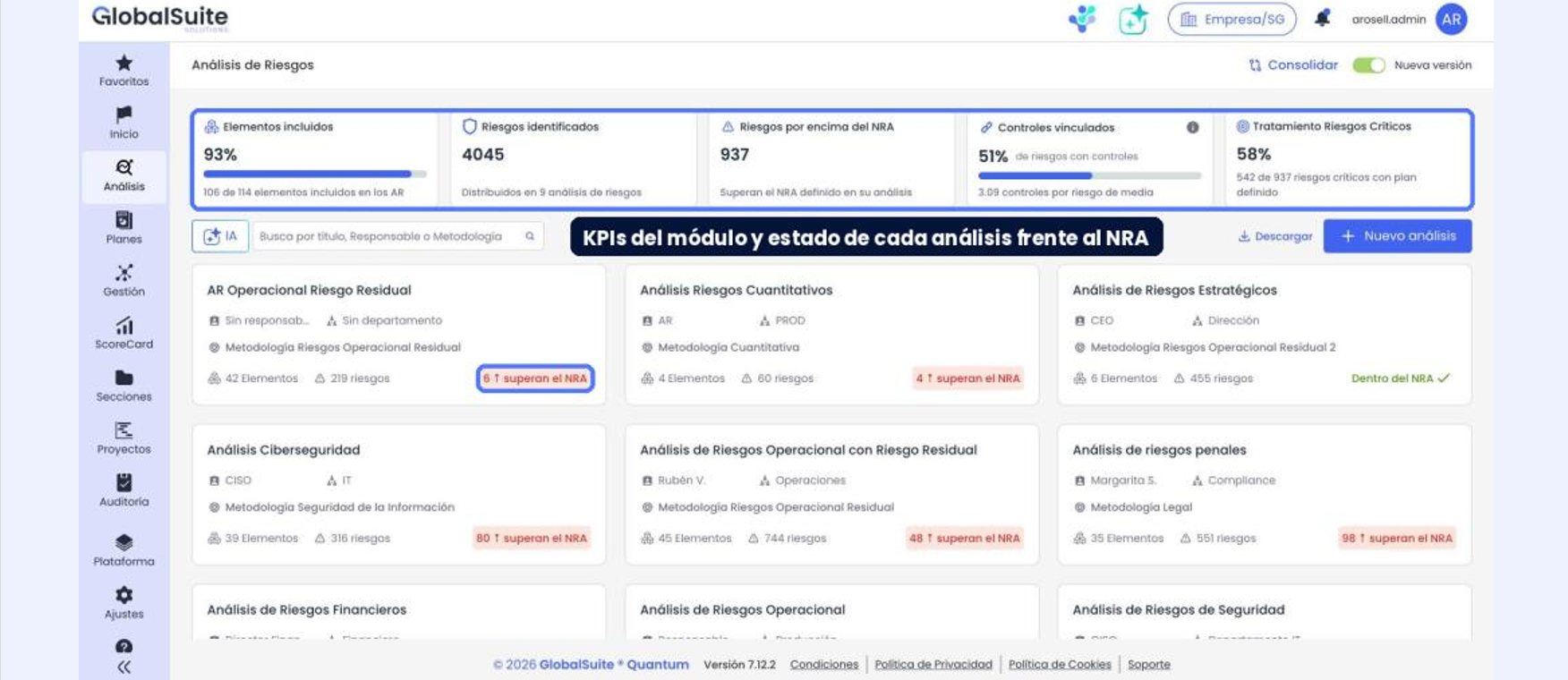
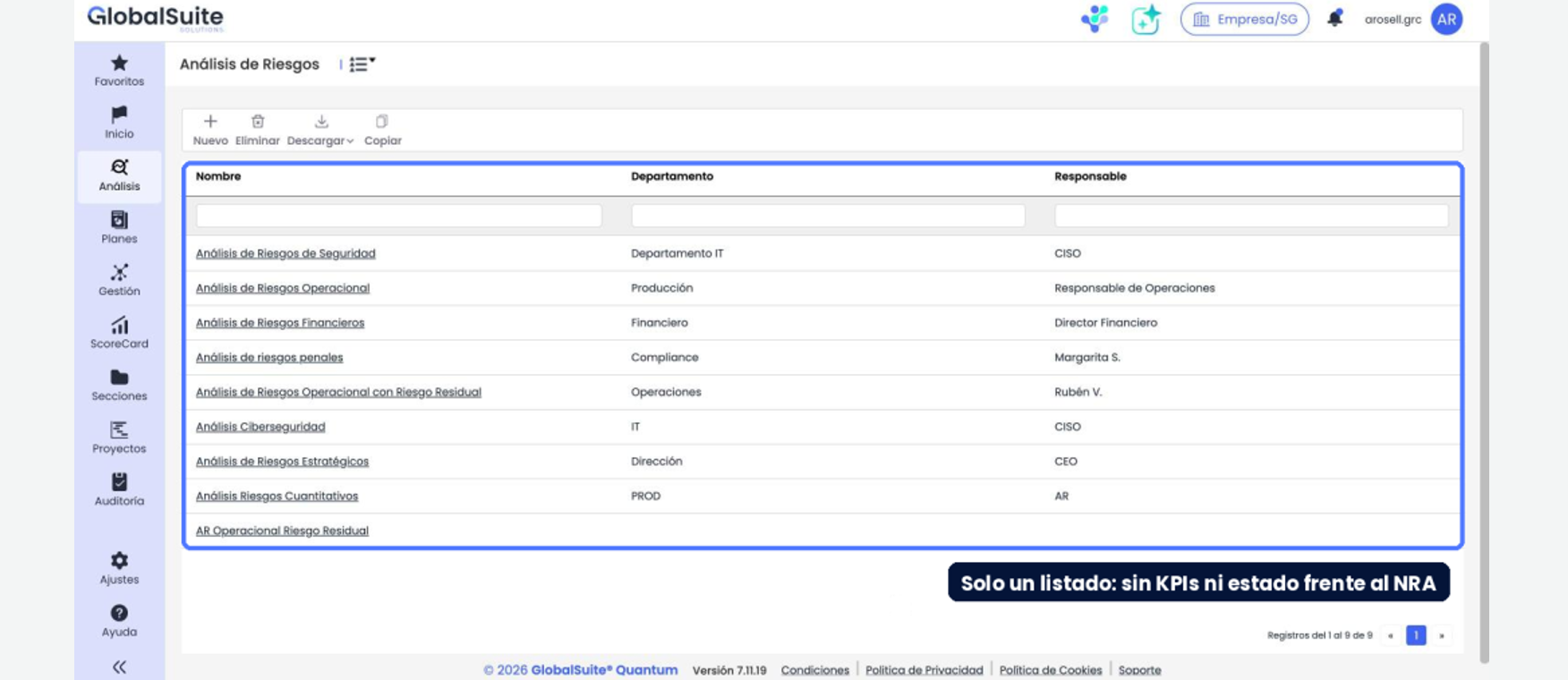
From a plain list to a view with the indicators for every analysis and the status of each one against the accepted risk level.
Slide to compare
- Clearer and more modern: cleaner screens, with the important information in view.
- Fewer clicks: direct editing in tables, autosave, and everything about each risk on a single screen.
- Priorities at a glance: indicators and charts that show where to act, with no filtering or exporting.
- Easy to learn: in-app guided tours that walk you through each new feature step by step.
Risk Analysis
Risk Analysis has been rebuilt so you can identify, assess, and treat risks with fewer clicks: a dashboard with the status of each analysis against the accepted risk level, and controls, plans, indicators, and tickets managed from the risk itself, without switching screens.
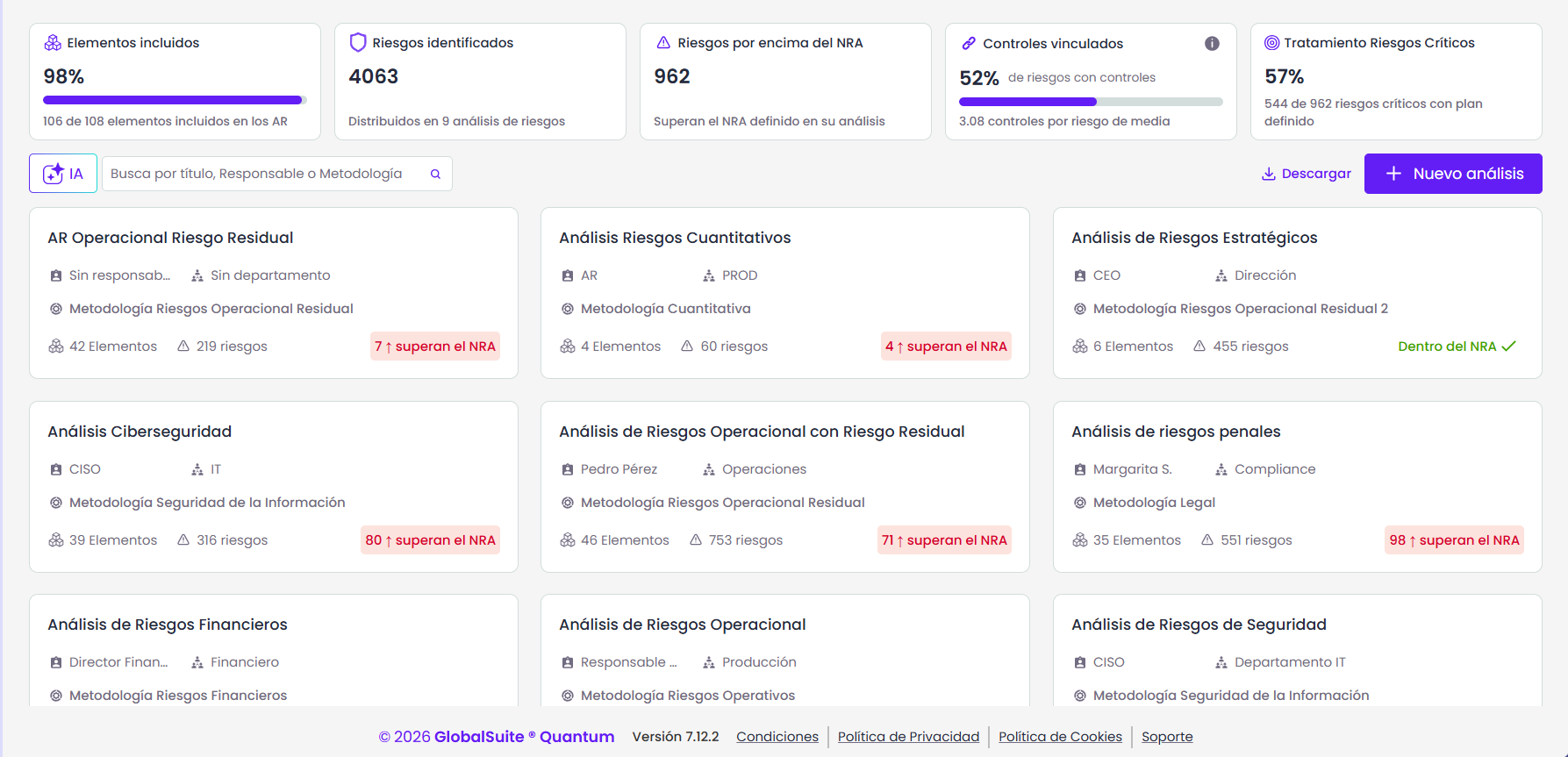
1. The dashboard brings together the indicators for every analysis.
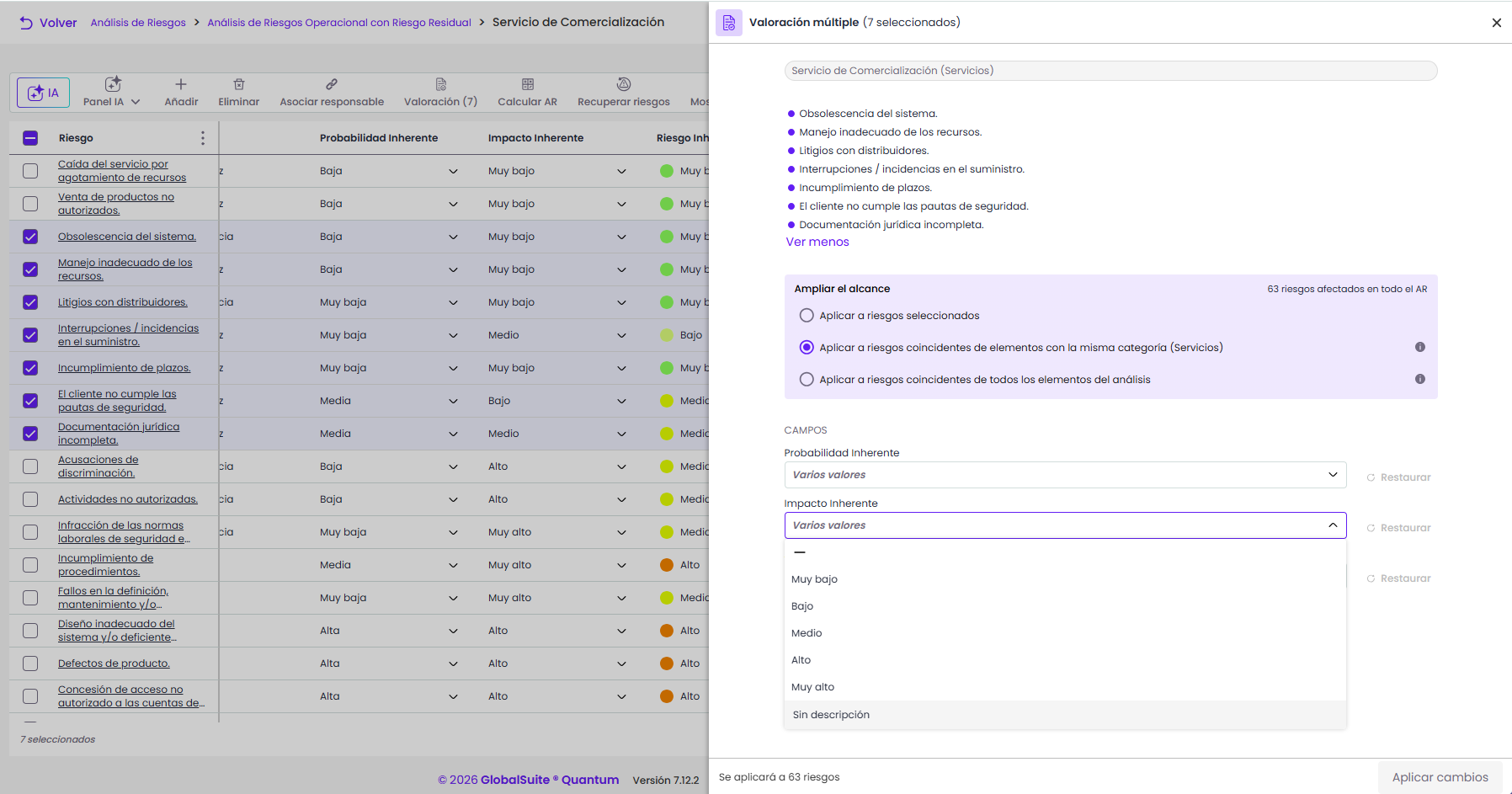
2. Bulk assessment: the same values for many risks at once.
- Bulk assessment: assess many risks in a single operation.
- Copy controls: reuse the controls of one risk in others.
- Compare risks: review the differences before copying risks between assets or analyses.
Risk Assessment
Risk Assessment becomes more visual: tracking indicators, charts linked to the list, and a new groupings view that shows where risk is concentrated.
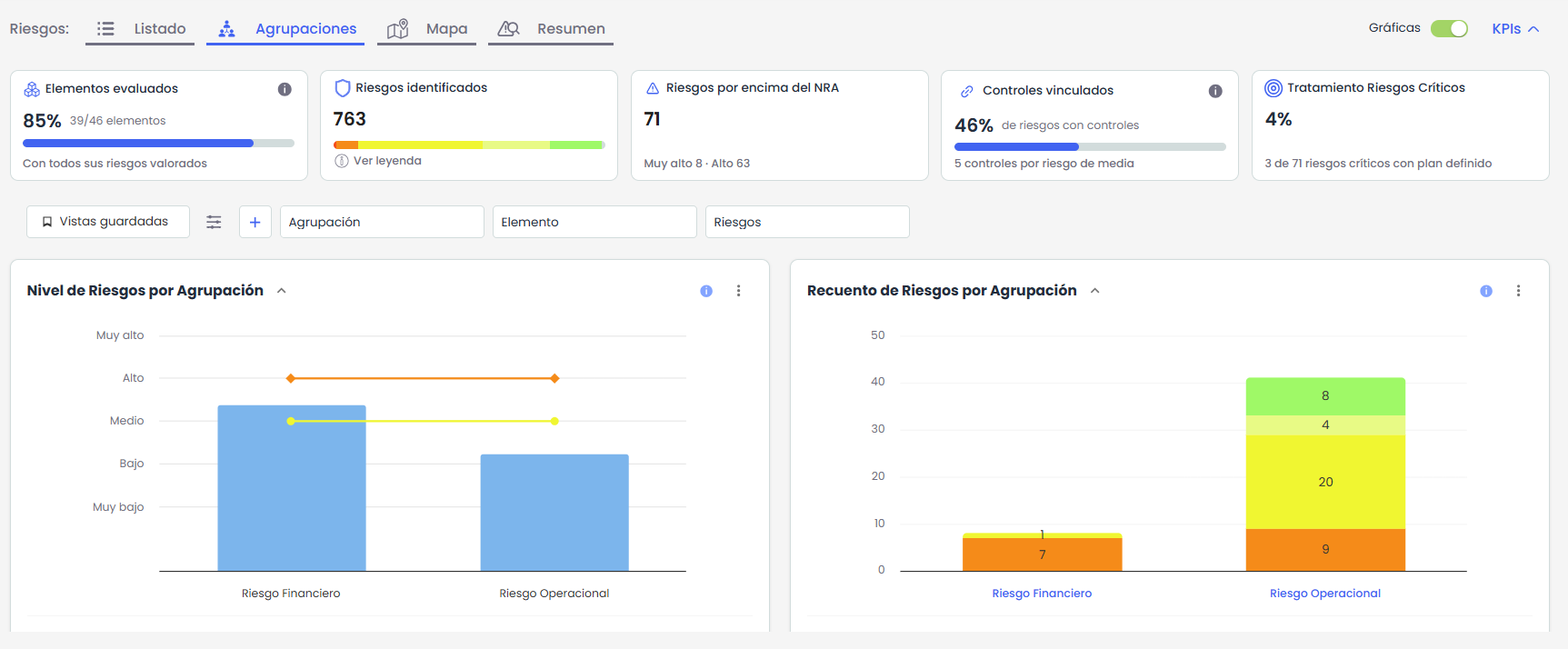
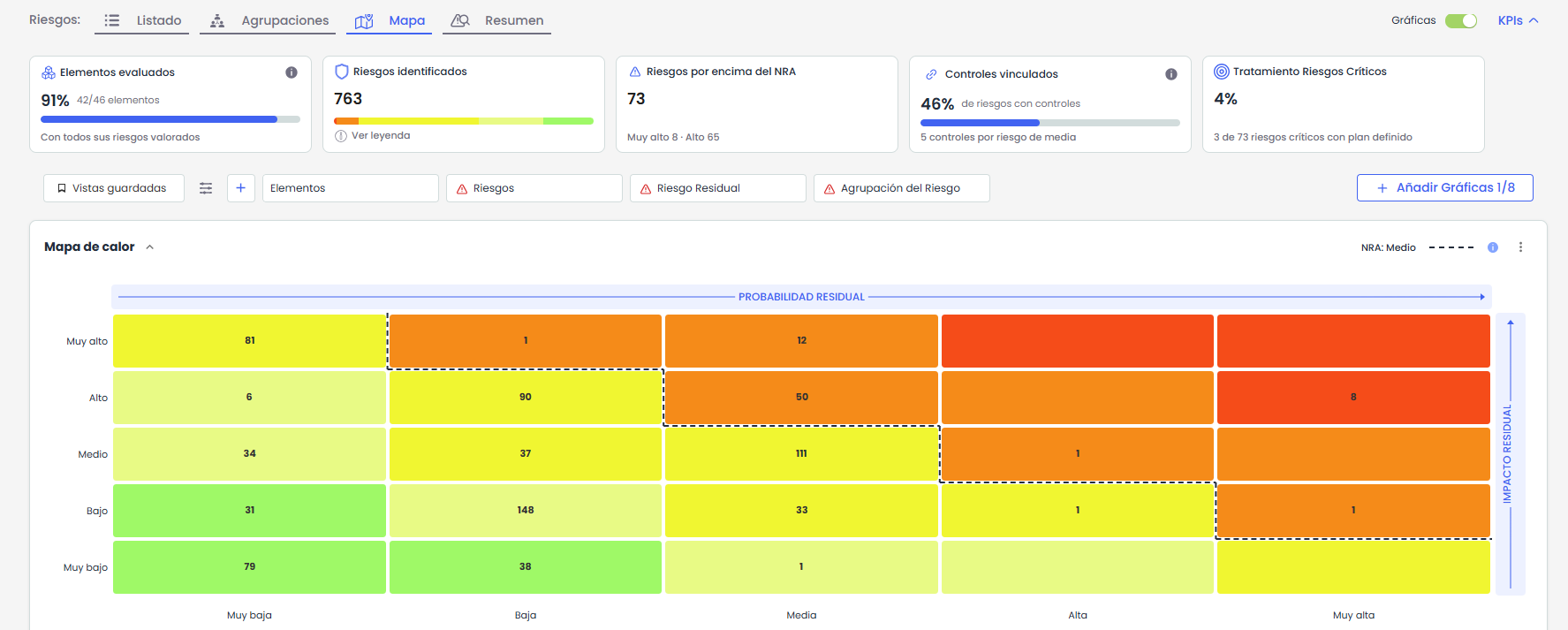
- Add charts: build your own chart dashboard.
- Saved views: each user gets their filters and columns back when they sign in.
Benefits
- Answers in seconds to questions that used to mean clicking through several screens and exporting data.
- With the AI you already use, without switching tools or copying information between applications.
- Less manual work: reports, charts, and bulk assessments built from real GlobalSuite® data.
- An easier tool to use, with a clearer interface and fewer steps in the risk modules.
- Security and control: your credentials, your permissions, and no changes without your approval.
What changes in your day-to-day work
| Situation | Before | Now |
|---|---|---|
| You need to know which critical risks have no controls | You clicked through several views, filtered, and exported. | You ask your AI assistant or the AI Agent. |
| You prepare the risk report for the committee | You exported the data and built the document by hand. | The AI Agent generates it with your organization’s branding. |
| You manage the controls and plans of a risk | You switched screens for every record. | Everything from the risk itself, with direct editing and autosave. |
| You assess the same risk across many assets | One asset at a time. | All at once, with Bulk assessment. |
| You look for where risk is concentrated | You went through the whole list. | The groupings view takes you straight there. |