
Run your GRC program from AI with the GlobalSuite® MCP
Connect GlobalSuite® to Claude, ChatGPT, Gemini, Microsoft Copilot, or Cursor and ask for almost anything you need: queries, analysis, changes, and reports built on the real data in your GRC program.
What you can do with the GlobalSuite® MCP
Query, analyze, act, and generate reports on the GlobalSuite® information your user can see. Pick a use case to see the assistant’s real answer.
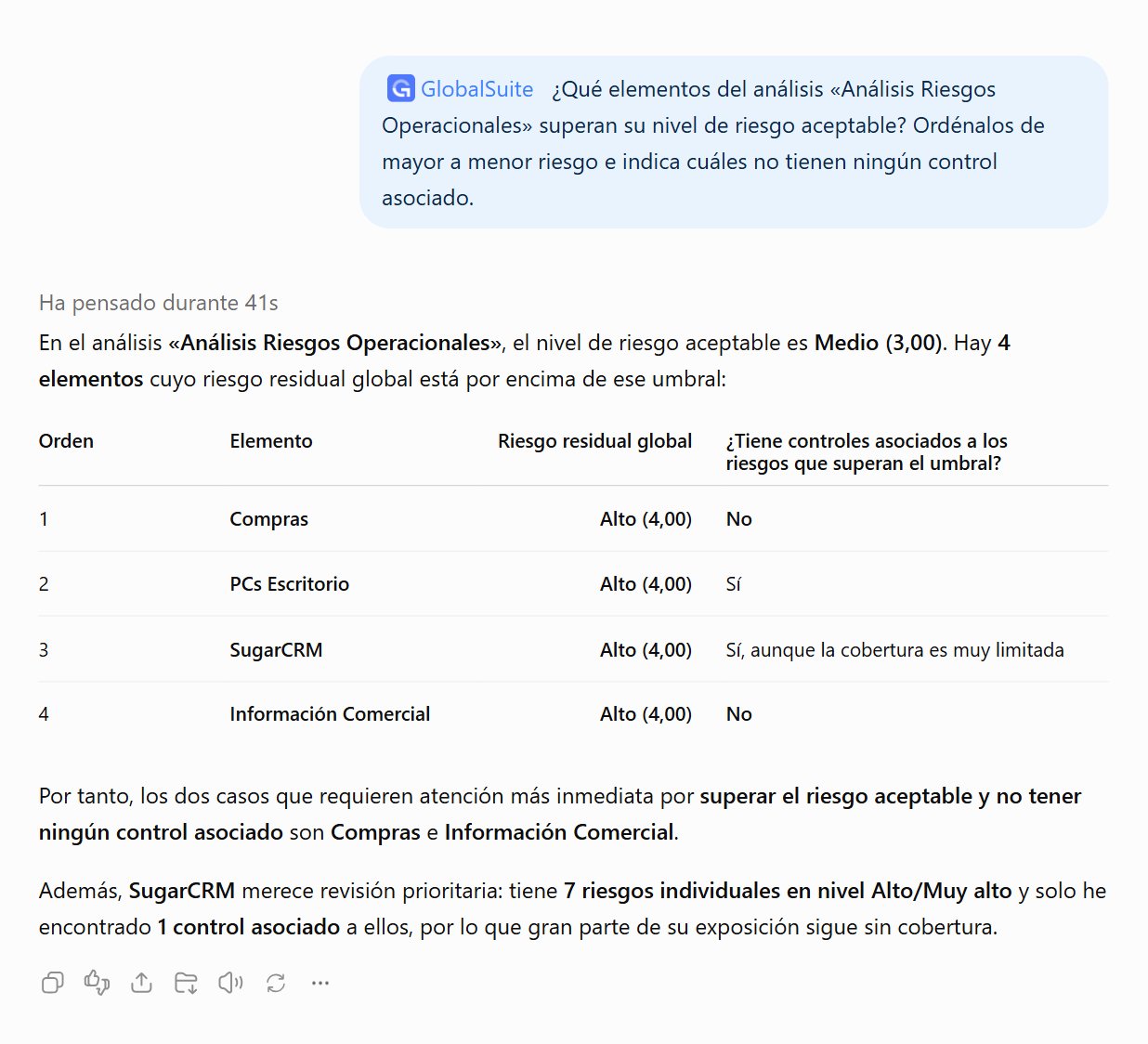
Real answers from a GlobalSuite® demo environment.
Your AI sees what you see. Nothing more.
The GlobalSuite® MCP signs in with each person’s own user. It opens no door to anything that person cannot already see in the platform, and it changes nothing it is not asked to.
Your user
You sign in as usual: password, Active Directory or LDAP, or single sign-on, with two-factor authentication.
Your permissions
Only the information about your company and your GRC program that your user can see.
Your approval
It only changes data when you ask it to. Ask for a proposal first and review it.
Everything logged
Every call is logged: the tool used, the user, and the result.
How it works
Connect once
Add the GlobalSuite® MCP as a connector in your assistant and sign in with your user.
Ask in your own language
Type in the chat the way you would ask a colleague. The assistant queries GlobalSuite® for you.
Get the answer, or the change made
Tables, charts, reports in Word or Excel. And when you ask, it creates or updates the information.
Frequently asked questions
Which AI assistants can I connect?
Claude, ChatGPT, Gemini, Microsoft Copilot, and Cursor, on the plans that support MCP connectors. If your organization uses another assistant, we can look at adding it.
What can the assistant change?
In Inventory, Risk Analysis, and Controls it can create and update information, such as adding assets, assessing risks, or linking controls. Compliance and the Document Manager are read-only for now.
Is my data used to train AI models?
GlobalSuite® does not use your data to train models. How the AI provider uses it depends on its own policy and your plan.
What if I would rather stay in GlobalSuite®?
The AI Agent in Risk Analysis and Assessment uses the same capabilities inside the platform, with no external assistant to connect. Discover GlobalSuite® AI.
See the GlobalSuite® MCP
with your own data.
We will show you how it works with the AI your organization uses.


